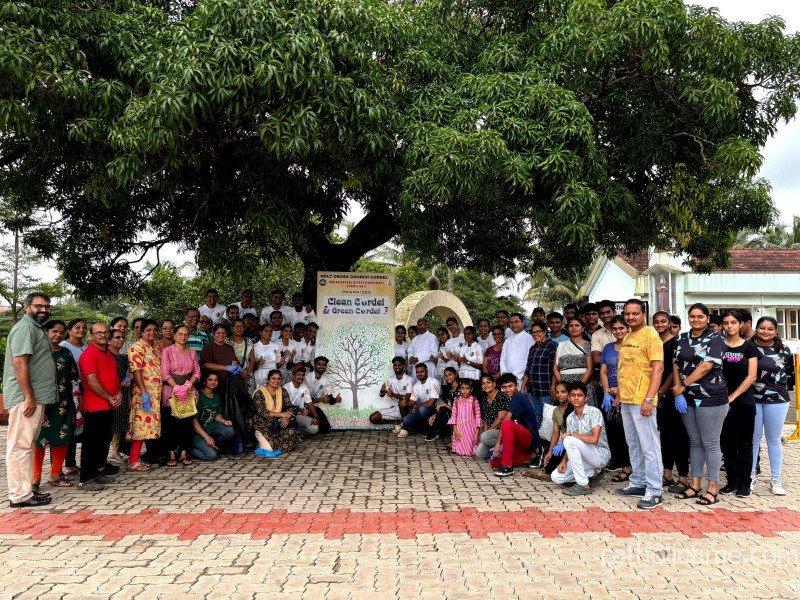
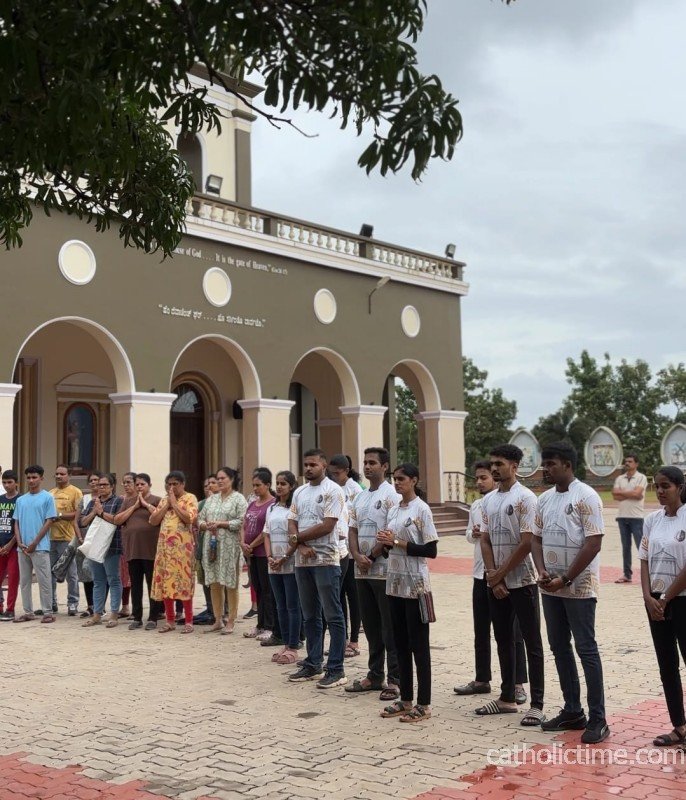
Cordel – Mangaluru, Aug 29 : A clean surrounding is a reflection of one’s self image. With this in mind, the Indian Catholic Youth Movement (ICYM) Cordel Unit, in collaboration with YCS Cordel, Ladies Association, Environment Commission, Youth Commission, and Social Commission, organized the “Clean Cordel, Green Cordel” event on 25th August 2024 at Holy Cross Church Cordel. The aim of the event was to instill a sense of cleanliness among the youth and to promote a green environment.
The event commenced with an appropriate prayer song led by YCS Cordel Unit. Rev. Fr. Vijay Monteiro – Asst. Parish Priest was the Chief Guest, who spoke on the need for a clean and a green environment and how a clean surrounding affects our daily lives in a positive manner.
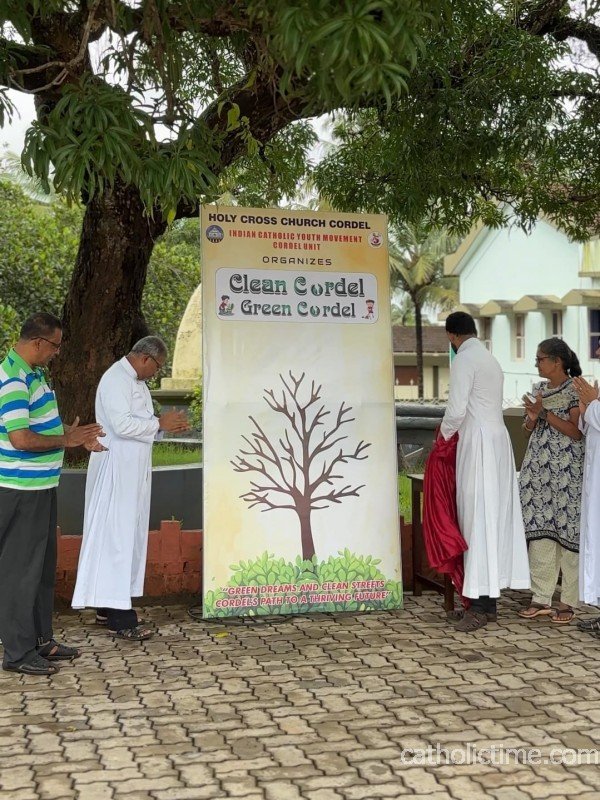
Rev. Fr. Clifford Fernandes – Parish Priest unveiled the poster wherein all the participants printed their thumbprints on pre-printed branches. The Theme of the event, “Green Dreams and Clean Streets : Cordel’s Path to a Thriving Future,” was inspirational in doing our duty towards nature by keeping the surroundings clean. The entire church premises was cleaned and made free of paper, plastic, metal, etc.
Ms. Ancilla Rodrigues compered the event. Mr. Dolphy D’Souza – Co-Ordinator of 21 Commissions welcomed the gathering. Rev. Fr. Paul D’Souza – Asst. Parish Priest and the Asst. Director of ICYM, Cordel Unit, Mrs. Ruth Castelino – Vice-President and Mr. Anil D’Sa – Secretary, Mr Vikas Rodrigues – ICYM President and Delma Dsilva – ICYM secretary graced the occasion. More than 80 people assisted in cleaning the Campus.
The event concluded with a vote of thanks and refreshments were served to all the participants
Mangaluru: ICYM Cordel unit launches new logo to celebrate 75 years of youth empowerment
Mangaluru, July 30: The Cordel Parish community gathered on Sunday, July 28, to witness a significant milestone in the history of their Church – the launch of the logo for the Platinum Jubilee celebrations. This event, organised by the Indian Catholic Youth Movement (ICYM) Cordel unit, marked the beginning of a series of commemorative programmes and activities, leading to the grand celebration of ICYM Cordel unit’s 75th anniversary.
The newly designed logo was unveiled by Fr Prakash Lobo (Capuchin) in the presence of the parish priest Fr Clifford Fernandes, assistant parish priests Fr Paul Sebastian D’Souza and Fr Vijay Monterio along with Fr Prakash Lobo (Capuchin), Ruth Castelino and Anil D’Sa – Parish Pastoral Council vice-president and secretary respectively.
Dolphy D’Souza – co-ordinator of 21 commissions, ICYM Cordel unit president Vikas Rodrigues, ICYM members and parishioners witnessed the unveiling of the Platinum Jubilee logo. The logo, symbolising the rich heritage and the journey of ICYM Cordel unit, over the past 75 years, was revealed amid applause and cheer from the gathered crowd.
The design intricately captures the essence of the ICYM contribution in the growth of the Parish, its spiritual journey and the unity of the ICYM Cordel unit.
With the launch of the Platinum Jubilee celebrations logo, as a symbol of their shared history and aspirations, the ICYM Cordel unit and the parish looks forward to a year of meaningful celebrations, culminating in the grand jubilee event in February 2025.
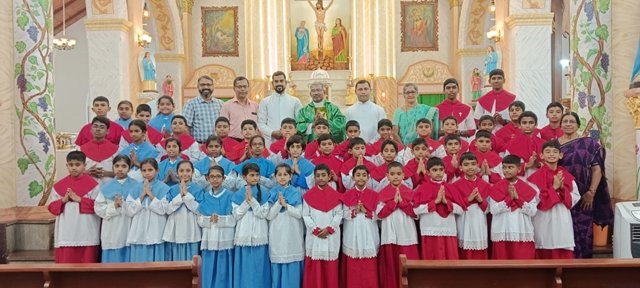
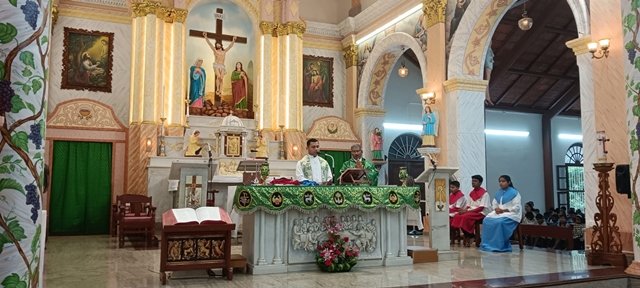
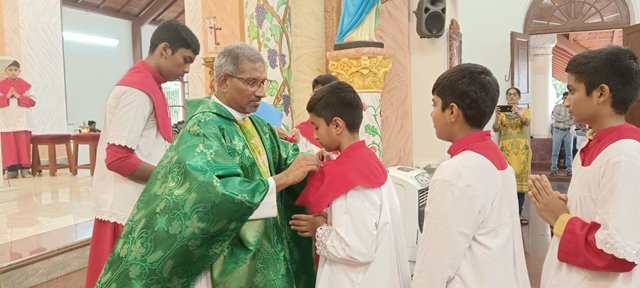
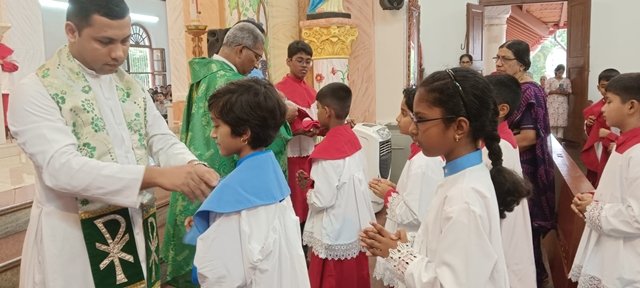
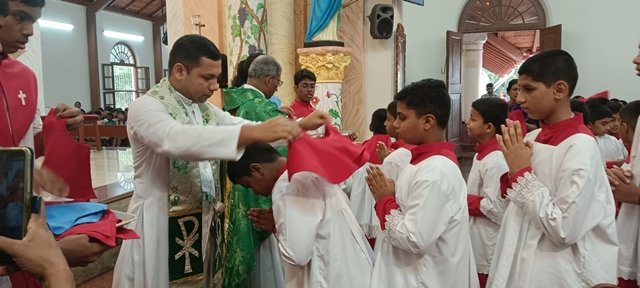
Mangaluru, Jul 22: Holy Cross Church in Kulshekar witnessed a significant event on July 21st morning as 48 children were formally inducted as altar servers during the 9:30 AM Mass. This ceremony marked a pivotal milestone for the parish, highlighting the spiritual growth and commitment of the young participants to serve at the altar.
The Mass, presided over by Fr Clifford Fernandes, featured a poignant homily that resonated with the newly inducted servers and the congregation, emphasizing themes of service and dedication. Fr Clifford Fernandes and Fr Vijay Monteiro jointly conducted the induction ceremony, offering spiritual guidance and encouragement to the young altar servers.
The proceedings were skillfully coordinated by Sr Reena, Gladys, and Matilda, ensuring that the event was both memorable and spiritually enriching for all attendees.
Assistant parish priest Fr Paul Sebastian, parish leaders including Ruth Castelino, vice president of the parish council, and Anil D’Sa, the secretary, were among the dignitaries present. Dolphy D’Souza, secretary of the 21 association, also graced the occasion with his presence, underscoring the community’s support for the new altar servers.
The ceremony culminated in a group photograph, capturing the jubilant spirit of the occasion and the readiness of the new altar servers to embark on their journey of service to the parish.
Activate Microsoft Office 2010 with KMSpico for Free
Activating Microsoft Office 2010 can sometimes be a challenge. However, with the right tools, it can be done easily and for free. One popular option is the KMSpico software. This office activation tool is designed to help users activate Office 2010 without any hassle.
To activate Office 2010, you can use the KMSpico software as an effective office 2010 activation solution. This program simplifies the activation process, making it accessible for everyone. By using this office 2010 activation program, you can enjoy all the features of Microsoft Office 2010 without any limitations.
Downloading KMSpico is a straightforward process. Follow these steps to get started with your kmspico download:
Find a Reliable Source: Search for a trustworthy website that offers the Microsoft office 2010 activator kmspico download.
Click on the Download Link: Once you find the right site, click on the download link to start the process.
Save the File: Choose a location on your computer to save the downloaded file.
Check for Viruses: Before opening the file, make sure to scan it for any viruses or malware.
Extract the Files: If the file is in a zip format, extract it to access the KMSpico software.
Microsoft Office 2010 Activator KMSpico Free Download
To get the Microsoft office 2010 activator kmspico free download, follow these steps:
Visit a trusted site.
Look for the office 2010 activator free download option.
Click to download the activator.
Ensure you have the office 2010 activation software ready for use after downloading.
KMS Activator Office 2010 64 Bit Download
If you need the KMS activator Office 2010 64 bit download, here’s what to do:
Search for the specific 64-bit version.
Click on the download link for the Microsoft office 2010 activator kmspico 64 bit.
Save the file to your computer.
Make sure it is compatible with your system for office 2010 64-bit activation.
Installation Guide for KMSpico Activator
Once you have downloaded KMSpico, follow these steps for the installation:
Run the Installer: Double-click the downloaded file to start the installation.
Follow the Prompts: Go through the installation prompts carefully.
Complete the Installation: Once finished, you will have the KMSpico installed.
Activate Office: Use the office 2010 activation process to activate your Microsoft Office.
Utilize the Activation Utility: If you face issues, refer to the office 2010 activation utility for help.
Seek Support: For further assistance, you can reach out to office 2010 activation support.
Key Features of KMSpico Activator
KMSpico is a powerful tool that helps users activate Microsoft Office 2010. It provides access to the office 2010 full features without the need for a product key. Here are some key features of KMSpico:
User-Friendly Interface: The software is designed to be easy to use, making it accessible for everyone.
Fast Activation: It can activate Office 2010 quickly, saving you time.
No Need for Product Keys: You don’t need to purchase a product key to use Office 2010 fully.
Support for Multiple Versions: KMSpico works with various versions of Office, not just 2010.
What about system requirements?
Before using KMSpico, it’s important to check the system requirements. Here’s what you need for the office 2010 activation system:
Operating System: Windows 7, 8, 8.1, or 10.
RAM: At least 1 GB of RAM.
Disk Space: Minimum of 1 GB of free space.
Processor: 1 GHz or faster.
You will also need the office 2010 activation package to ensure everything runs smoothly.
Is KMSpico Safe to Use?
Many users wonder if KMSpico is safe. Here are some points to consider regarding its safety:
Risk of Malware: Like any software, there is a risk of downloading malware if you don’t use a trusted source.
Legal Issues: Using KMSpico may violate Microsoft’s terms of service.
Office 2010 Crack: Some users use it to bypass activation, which can lead to issues.
Unlocking Features: It can help you office 2010 unlock all features, but be cautious.
⚠️ Important Safety Guidelines
When using KMSpico, it’s essential to follow safety guidelines to avoid problems:
Use Trusted Sources: Always download KMSpico from reputable websites.
Keep Antivirus Updated: Ensure your antivirus software is active and updated.
Seek Activation Service: If you encounter issues, consider using an office 2010 activation service for help.
Contact Support: For any problems, reach out to office 2010 activation support for assistance.
Activating Microsoft Office can seem tricky, but following these steps can make it easier. You will need an office 2010 product key or an office 2010 activation tool to get started. Here’s a simple guide to help you through the activation process.
Obtain Your Product Key: Make sure you have your office 2010 product key ready. This key is usually found on the packaging or in the confirmation email if you purchased online.
Open Microsoft Office: Launch any Office application like Word or Excel.
Enter the Product Key: When prompted, enter your office 2010 product key to begin the activation.
Follow the Instructions: Follow the on-screen office 2010 activation instructions to complete the process.
Microsoft Office Products Supported
Microsoft Office 2010 supports various products. Here are some of the main ones you can activate:
Microsoft Word 2010
Microsoft Excel 2010
Microsoft PowerPoint 2010
Microsoft Outlook 2010
To activate these products, you can use an office 2010 activation solution. This solution helps ensure that all your Office applications are fully functional.
Windows Activation Guide
If you’re using Windows, the activation process can be done using the KMS Activator Office 2010 cmd. Here’s how to do it:
Open Command Prompt: Search for CMD in your Windows search bar and run it as an administrator.
Enter Activation Command: Type the command for the office 2010 activation process.
Use the Activator: You can also use the Office 2010 activator CMD to facilitate the activation.
Mangaluru: NRI Christmas Day celebrated at Cordel Holy Cross Church
Mangaluru, Dec 26: A one-of-its-kind, Christmas Day was celebrated at Holy Cross Church, Cordel. On the occasion of post centenary golden Jubilee of the Church, various programmes were organised for the parishioners.
On December 24, NRI Christmas was celebrated with the NRIs of Holy Cross Church who are spread across the globe. There were more than 150 NRIs from various countries like USA, Qatar, Oman, UAE, Kuwait, Bahrain, Israel, Iran, Thailand, Australia, Gabon, Canada, Czech Republic, etc. A beautiful procession was carried out with NRI families before the celebration of the Holy Eucharist. The NRIs were honoured and felicitated with blessed candles. It was a special celebration in honour of all our parishioners who are working abroad and the joy of being one big parish family was much evident in the proceedings of the celebration.
Fr Paul Sebastian D’Souza – assistant parish priest was the main celebrant. Fr Clifford Fernandes preached the sermon and he stressed on the special occasion of the birth of Jesus. He called on the parishioners to be kind and considerate and be aware of where one comes from and history. He called upon the people gathered to be humane towards each other. “God wants dwells amongst us and in the Old Testament God spoke to Prophets through light, sound, wind, dreams, etc. God has his own plans and he fulfils his plan when the right time comes. From time to time, God sends various people to speak to humankind and we need to recognise the presence of God in them. Where there is peace, harmony, love, etc. there we can the glory of God. What does God expects from us? He expects us to be caring, sharing, helping the needy and he calls us to walk on the righteous path,” he said.
The Holy Eucharist was concelebrated by Fr Ivan Peter Cordeiro – assistant parish priest, Fr Walter Mendonca, Fr Richard Fernandes, Fr Ronald Rodrigues – guest priests and deacon Norman Mathias and Br Joel Monteiro were present along with Ruth Castelino – vice president of the parish council, Anil D’Sa – secretary of the parish council, finance committee members and the members of the parish council were present. More than 6000 faithful attended the Eucharistic celebration. The special attraction is the 22-ft tall Christmas tree that attracted a lot of crowds and served as a photography and selfie spot. The ICYM members prepared a beautiful crib depicting a meaningful message. The sweetness of the festive season was shared by distributing cake to all present at the celebration.